 look news india

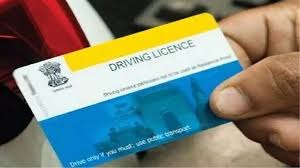
News India Live, Digital Desk: Driving License (DL) has now become not just a permit to drive, but a very important identity card. Nowadays, be it the message of issuing traffic challan, alert of license renewal or any other important government information, everything comes directly to our mobile number. In such a situation, if your old number has been switched off or the number given while getting the license is no longer with you, then you may miss out on many important information.
Earlier, even for this small work one had to make several trips to the RTO office, but now the government has made this process very easy. You can update the mobile number in your driving license online from the comfort of your home without any hassle.
Let us know its complete, step-by-step and easy method.
How to update mobile number in driving license online
This entire process is completed through ‘Parivahan Seva’, the official website of the Ministry of Road Transport and Highways.
Step 1: Visit the website of ‘Parivahan Seva’
First of all, visit the official website of the transport service in the browser of your computer or smartphone. parivahan.gov.in Open the.
Step 2: Select driving license related services
On the homepage of the website, you will see a tab of ‘Online Services’. Click on it and then select the option “Driving License Related Services”.
Step 3: Select your state
Now you will see a list of all the states of India. Select the name of the state you live in.
Step 4: Select ‘Mobile Number Update’ option
As soon as you select your state, a new page will open in front of you. Here click on ‘Others’ from the list given above. In its drop-down menu you will see the option of “Mobile Number Update”, click on it.
Step 5: Fill in your driving license information
Now you will have to fill a form to verify your identity. Here in the ‘Search Criteria’ select ‘Driving License’ and then enter your DL Number, Date of Birth And License Issue Date Fill carefully and click on ‘Submit’.
Step 6: Enter new mobile number and verify with OTP
If your details are correct, your name and other information will appear on the screen. Confirm it and ‘Proceed’. Now you will get a box to enter your new mobile number. Enter your new 10 digit mobile number here, confirm it again and give a reason for changing the number (eg Lost or Old Number).
As soon as you click on ‘Proceed’, an OTP will come on your new mobile number. ‘Verify’ that OTP by entering it correctly.
That’s it, your work is done! By doing this, your new mobile number will be successfully updated with your driving license and you will also see its confirmation message on the screen.