 look news india

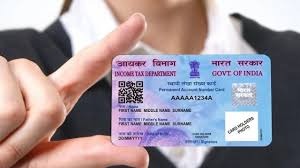
News India Live, Digital Desk: In today’s time, PAN Card is not just an identity card but is the key to almost every financial transaction of yours. From opening a bank account to taking a loan, buying property and filing Income Tax Return (ITR), it is required everywhere. The government has also made it mandatory to link PAN card with Aadhar card and bank account.
But have you ever checked whether your PAN card is properly linked to your Aadhaar and bank account or not? If it is not linked, your PAN card may become inoperative and you will not be able to do any major financial transactions. There is no need to panic, you can find out this in just 2 minutes from your mobile while sitting at home.
How to know whether PAN card is linked to Aadhaar or not?
The government had extended the last date for linking PAN with Aadhaar several times, but now this process has been completed. If you have not done this yet, your PAN card may have been closed. Follow these easy steps to check your status:
- Visit Income Tax website: Open the official website of Income Tax Department in the browser of your mobile or computer: www.incometax.gov.in
- Click on ‘Link Aadhaar Status’: On the homepage of the website you will see a section of ‘Quick Links’. In this you ‘Link Aadhaar Status’ You will get the option, click on it.
- Enter PAN and Aadhaar number: Now a new page will open. Here you have to enter your 10 digit PAN number and 12 digit Aadhaar number.
- View Status: After filling both the information, given on the right side ‘View Link Aadhaar Status’ Click on the button.
- Result will appear on the screen: As soon as you click, a message will appear on your screen. If your PAN and Aadhaar are linked, it will be written “Your PAN is already linked to given Aadhaar”. If the link is not there, you will be given instructions for linking, for which you will now have to pay a penalty of Rs 1000.
How to know whether PAN card is linked to bank account or not?
It is also very important to know whether PAN is linked to the bank account or not, otherwise you will not be able to make transactions of more than Rs 50,000.
Method 1: Through Net Banking
- Log in to the net banking website of your bank.
- Go to Profile Settings or ‘Service Requests’ section.
- Here you will see an option like ‘PAN Card Updation’ or ‘Link PAN Card’.
- As soon as you click on it, you will see whether your PAN card is linked or not. If there is no link, then from here you can also link it by entering your PAN number.
Method 2: From Mobile Banking App
- Open your bank’s mobile app and log in.
- Go to ‘My Profile’ or ‘Services’ section.
- Here also you will get the option to view PAN card details.
Method 3: By going to the bank
If you are not able to use the online method, you can also check by visiting your bank branch. Carry your passbook and PAN card and ask the bank employee to check your status.
It is very important that you keep checking from time to time that your PAN card is correctly linked at all the required places, so that you do not have to face any financial problems in future.