 look news india

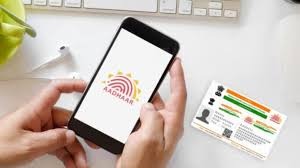
News India Live, Digital Desk: In today’s digital age, Aadhaar Card has become not just an identity card but the key to almost every government and financial service. From opening a bank account to filing income tax returns, it is mandatory to link Aadhaar with your mobile number everywhere.
Often people forget which of their mobile numbers is registered with Aadhaar or whether the number is linked or not. To end this confusion UIDAI has started a very easy online process. Now you can verify it in just a few minutes with your smartphone, without visiting the Aadhaar centre.
1. Why is it important to have Aadhaar-mobile link?
Updating of mobile number with Aadhaar is very important for security:
OTP Authentication: For most Aadhaar based services, OTP comes on the same number which is linked.
Online Updates: To update address or other information sitting at home, it is necessary to have a mobile link.
Fraud Protection: You get information about whether your Aadhaar is being misused through alerts.
2. How to do online verification? (Step-by-Step Guide)
As per Times Bull report, you can verify your mobile number by following the simple steps given below:
Visit the official website: First of all, log in to the official website of UIDAI, myaadhaar.uidai.gov.in.
Select Aadhaar Services: Go to ‘Aadhaar Services’ section on the homepage ‘Verify Email/Mobile Number’ Click on the option.
Fill details: Enter your 12 digit Aadhaar number and the mobile number you want to check.
Captcha code: Carefully fill the captcha code shown on the screen and click on ‘Send OTP’.
You will get the answer: If that number is already linked, a message will appear on the screen – “The mobile number you have entered is already verified with our records.” If the link is not there, it will inform you.
3. What to do if the number is not linked?
As per UIDAI rules, for security reasons, you can create a new mobile number online. Add Can’t. For this you will have to go to your nearest Aadhaar Enrollment Center (Aadhaar Seva Kendra). However, you can book an appointment online to visit the center so that you do not have to stand in the queue.
4. Safety Tip: Be alert!
UIDAI has cautioned citizens not to share their Aadhaar number or OTP with any unknown person or unauthorized website. Always use the official government portal or ‘mK穩haar’ app for Aadhaar verification.