 look news india
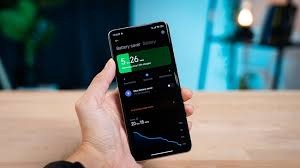
News India Live, Digital Desk: In today’s era, smartphone has become an important part of our life, and its battery is its life. But with time the battery health of every phone starts deteriorating, due to which the phone starts discharging quickly. If you are also worried about the battery health of your Android phone, then there is an easy way by which you can find out. For this you AccuBattery You will have to use a free app named.
What is AccuBattery app and how does it work?
AccuBattery is a very useful Android app that monitors the health of your battery. This app analyzes the charging and discharging patterns of your phone and tells you the estimated capacity of the battery, which shows its actual health.
Method to check battery health:
- Download AccuBattery app: First of all, download and install AccuBattery app for free from Google Play Store.
- Allow the app: Once the app is installed, grant it the required permissions (such as battery monitoring).
- Charge the phone: To accurately estimate battery health, the app needs to track your phone’s charging and discharging cycles. The best way is to charge your phone from 0% to 100% and then use it.
- Go to ‘Health’ tab: Let the app collect data for a few charging-discharging cycles (this may take a few hours or a day). Next, go to the ‘Health’ tab in the interface of the app.
- View battery health: In the ‘Health’ tab you will see an option like “Battery Health” or “Estimated Capacity”. This will tell you the current estimated capacity of your battery in percentage. For example, if it shows 85%, your battery health is 85%.
- View discharging and charging speed: The app also gives you information about the discharge speed and charging speed of the battery, so that you can understand how quickly the battery is draining or how fast it is charging.
Importance of battery health:
- Performance: The performance of phones with low battery health may also become slow.
- Charging Cycles: Every battery has a certain charging cycles life. When these cycles are exhausted, the health of the battery degrades.
- Battery replacement time: If your phone’s battery health drops below 80%, it may be a sign to replace the battery.
Using AccuBattery app, you can easily track the battery health of your Android phone and take necessary steps in time.