 look news india

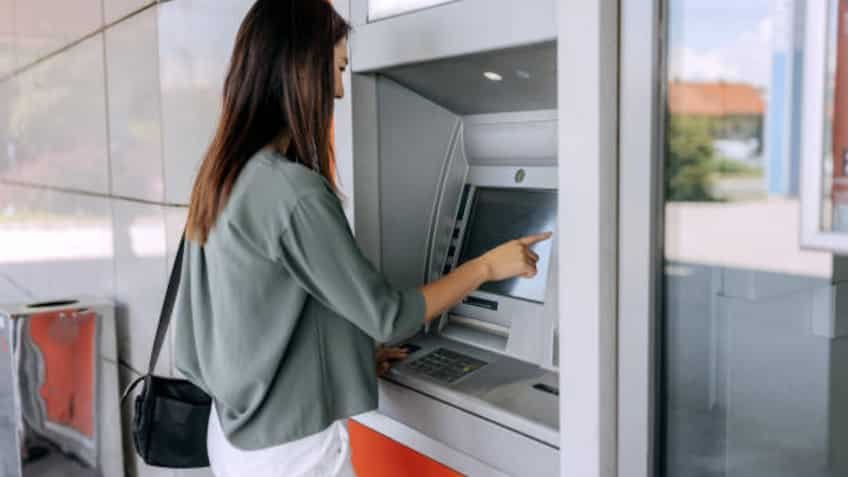
During festive shopping, traveling or any emergency, when you go to the ATM machine to withdraw money and after completing the entire process, suddenly an error flashes on the screen, it is natural for any person to get nervous. The biggest worry is when cash does not come out of the machine, but an alert SMS comes on the mobile about money being deducted from the registered bank account. At such times, many people start swiping the card repeatedly or press the cancel button of the machine in a hurry and leave, which can be a wrong step from both technical and financial point of view.
The operating system of ATM machines and the Core Banking Network (CBS) operate on the most stringent security standards. Whenever there is a network interruption, lack of technical coordination or security anomaly during a transaction, the machine generates a specific error code or message. By understanding these error messages, you can not only take immediate action but also get a refund from the bank without any delay, keeping your money safe.
-
Transaction Declined Error: When ‘Transaction Declined’ appears on the ATM screen, it simply means that your transaction has been intentionally declined by your respective bank or ATM switch. There are mainly three reasons behind this. The first reason is ‘Insufficient Funds’ i.e. having less balance in the account than the amount entered by you. The second reason is ‘Exceeded Withdrawal Limit’, in which the daily cash withdrawal limit of your debit card has been exceeded. The third reason could be your card’s domestic or ATM withdrawal settings being disabled in the bank app or the card’s chip being damaged. In such cases money is usually not deducted from the account.
-
Request Timeout or Network Error (Request Timeout / Host Timeout): This message is the biggest sign of a technical fault. When you enter the PIN and amount, the ATM machine sends that data to your bank’s servers through the National Financial Switch (NFS). The bank’s server sends back the Approval Code within the stipulated time (usually 30 to 45 seconds). If the internet connectivity is slow, the main server of the bank is down or there is a lag in the switching network, then ‘Request Timeout’ appears on the screen. When this error occurs, the most likely possibility is that the bank server deducted the balance, but due to lack of signal reaching the ATM dispenser, the cash could not come out.
-
Cash Out or Hardware Error (Cash Out / Hardware Not Ready): Many times the transaction is completely authorized, but at the last stage a strange sound comes from the machine and a pop-up of ‘Cash Out’ or ‘Unable to Dispense Cash’ appears on the screen. This means that either the internal cassette of the machine has run out of ₹ 500 or ₹ 100 notes or there is a mechanical jam in the sensor of the cash delivery shutter. In such a situation, the system immediately puts a security lock so that wrong notes do not come out.
If you do not withdraw money from the ATM but the amount has been deducted from your bank account, do not worry at all. The correct procedure to be followed in such cases is as follows:
-
Wait 2 to 3 minutes near the machine: Many times the system starts the auto-reversal process immediately due to network lag. A transaction slip (P-Slip) comes out from the machine on which ‘Txn Failed’ or ‘Reversal Success’ is recorded. This slip is the most important legal evidence.
-
Note down the ATM ID and time: If the slip is not issued, a unique 6 to 8 digit ‘ATM ID’ is written on the wall of the ATM cabin or on the top of the machine. Immediately note down that ID, time and date in your phone or take a photo of it.
-
Notify Customer Care immediately: At the same time, register your complaint by calling the official toll-free helpline number of your bank and get the complaint ticket number (Service Request Number). You can also choose the option of ‘Dispute Transaction’ by visiting the mobile app or netbanking portal of the concerned bank.
The Reserve Bank of India (RBI) has set very strict and transparent rules in favor of common consumers regarding failed ATM transactions. According to the RBI circular, if cash is not dispensed from the ATM due to any technical glitch, timeout or hardware failure and money is deducted from the account, the bank will be charged Rs. Maximum T+5 working days It is mandatory to auto-credit the entire amount to the customer’s account within (T means day of transaction).
If the concerned bank fails to return the customer’s money within the prescribed five working days, the bank will have to credit an additional fixed compensation of ₹100 per day to the customer’s account from the sixth day onwards. To get this compensation, the customer does not need any special application, the bank has to give this amount automatically. If the bank does not attend the hearing within the stipulated time, you can lodge a complaint directly on the online portal of the RBI Banking Ombudsman (cms.rbi.org.in). While using an ATM, always ensure that your registered mobile number is active so that you can get instant messages about every activity.