look news india

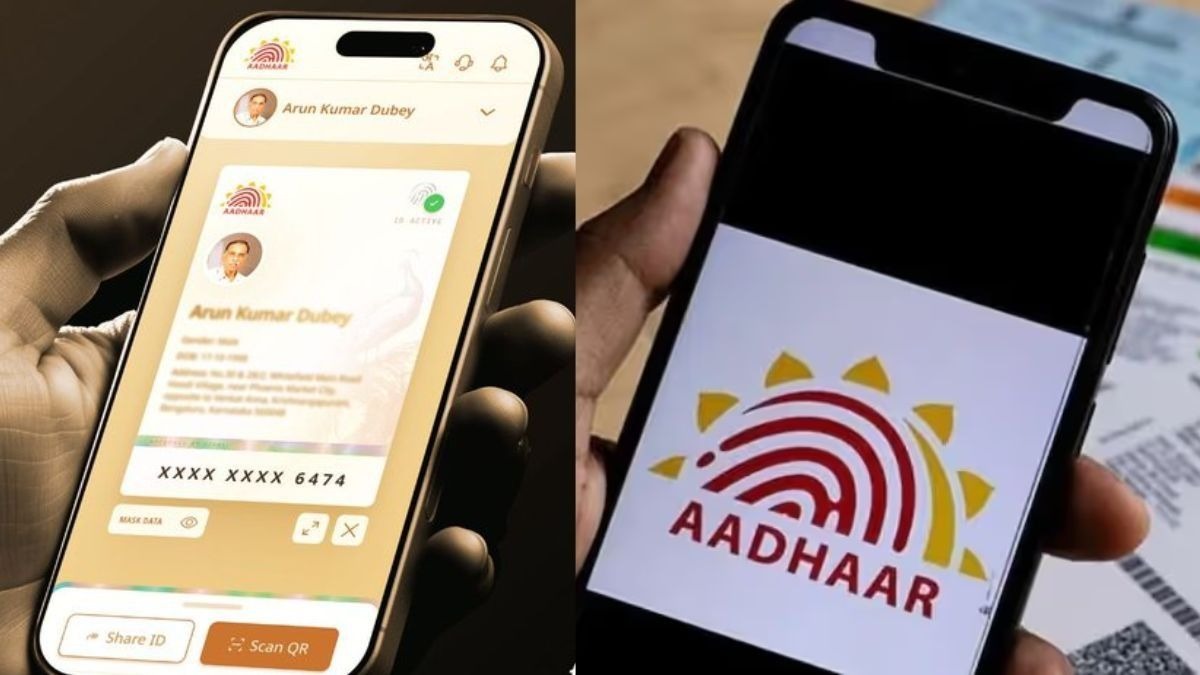
News India Live, Digital Desk: There is big news for Aadhar card holders! Unique Identification Authority of India (Unique Identification Authority of India)UIDAI) has completely upgraded its official mobile application. now old mAadhaar The app is going to be history and will be replaced by something new, secure and advanced. ‘Aadhaar’ Taking app.
UIDAI has advised all users to immediately switch to the new app to avail digital services without any interruption. Let us know the features of this new app and the easy way to setup it.
Why is the new ‘Aadhaar’ app special? (Advanced Features)
The new app is not only modern in appearance, but it is also far ahead of the old app in terms of technology and security:
Better Interface: The experience of running the app is now faster and easier than ever.
Advanced Security: It includes biometric lock/unlock and dark mode Features like are given.
Offline Verification: You can complete your verification through QR code even without internet.
Auto-Sync: Your old settings and profiles are automatically updated in the new app.
How to switch from old to new app? (Step-by-Step Guide)
UIDAI has decided to gradually stop supporting the old app, so follow the steps given below:
Delete old app: First of all your phone is older than mAadhaar Uninstall the app.
Download: New from Play Store or App Store ‘Aadhaar’ download app.
Login: Enter your 12 digit Aadhaar number or Virtual ID (VID).
OTP Verification: An OTP will come on your registered mobile number, fill it.
Set PIN: A new 4 digit key for security App PIN Create.
Authentication: If your phone supports it, you can also enable fingerprint lock.
Now changing mobile number and address has become even easier
The biggest feature of the new app is that now you will not have to visit the Aadhaar center for small changes:
Process: Go to ‘Update Aadhaar Details’ in the app.
Selection: Select the option to update mobile number or address.
Document: Upload photographs of required documents (like address proof).
Fees: Make online payment of ₹50.
Update: After verification, your information will be updated online.
Important Precautions (Safety Tips)
For Aadhaar app, you do not need to provide biometrics again, just your Registered mobile number Must be active.
Do not share your Aadhaar number, OTP or App PIN with anyone.
Always keep in mind that in app developer ‘UIDAI’ The name of the app must be written so that you can avoid fake apps.