 look news india

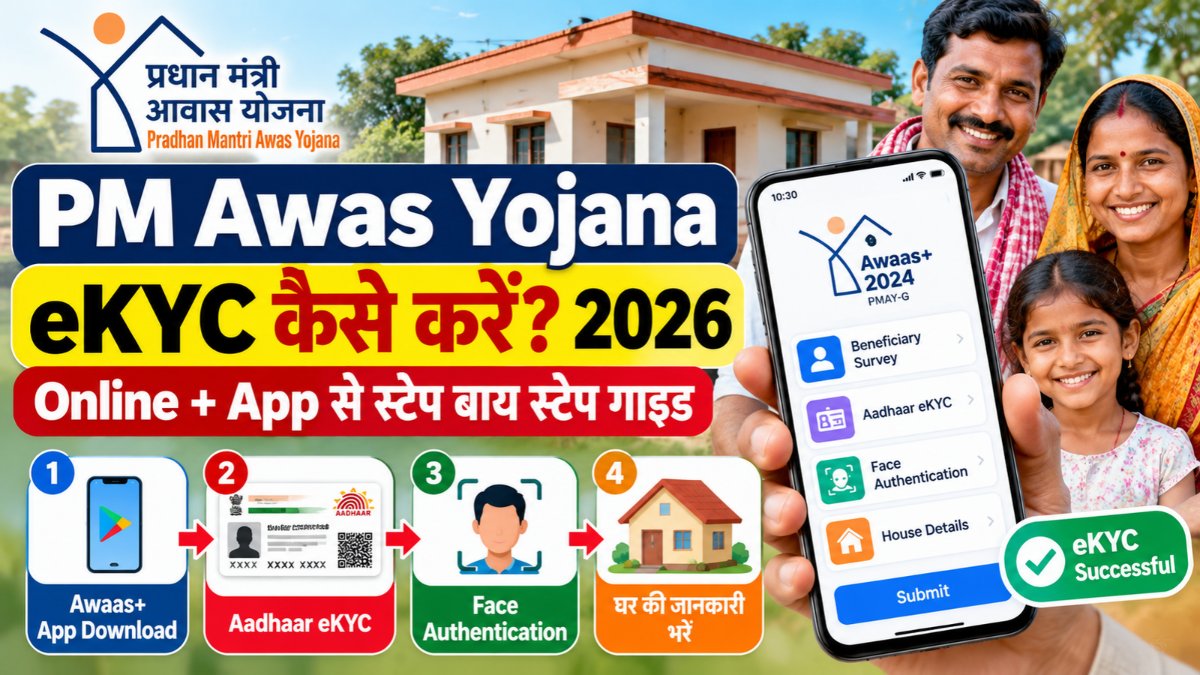
The Ministry of Rural Development and the Ministry of Housing and Urban Affairs of the Central Government have issued a strict and necessary instruction for crores of beneficiaries who are hoping to build permanent houses under the Pradhan Mantri Awas Yojana (PMAY-G and PMAY-U 2.0). To ensure that the financial assistance provided under the scheme reaches the beneficiary’s bank account directly without any middleman, Aadhaar based electronic Know Your Customer i.e. e-KYC has been made mandatory. If any beneficiary does not complete his/her e-KYC within the stipulated time, the money for the next installment to be released under the scheme will be withheld by the Direct Benefit Transfer (DBT) system. This digital step has been taken to weed out ineligible people and deliver government assistance ranging from Rs 1.20 lakh to Rs 2.50 lakh to the genuine needy in a transparent manner, according to government data.
Many beneficiaries are deprived of financial assistance due to not completing the formalities on time. If your e-KYC is not complete, you may face the following problems:
-
Stoppage of installment payment: DBT transfer of the first, second or third installment of house construction will be automatically blocked by the system.
-
Removal of name from beneficiary list: If physical verification and digital records do not match, the application may be rejected as suspicious or invalid.
-
Bank account being un-linked: Due to lack of Aadhaar seeding and NPCI mapping, the government grant account will not be credited.
Beneficiaries must have some basic details ready to complete the process in just 5 minutes from their mobile phones:
-
Valid 12 digit Aadhaar card of the beneficiary.
-
Active mobile number linked to Aadhar card (on which OTP can be received).
-
Aadhaar Seeded Bank or Post Office Savings Account.
-
MNREGA Job Card Number for rural beneficiaries (if available).
-
Smartphone with a clear front camera (for face authentication).
The process of e-KYC under the Pradhan Mantri Awas Yojana Gramin has been highly modernized, which the beneficiaries themselves can complete from their mobile or through the surveyor of the Gram Panchayat:
-
download app: Official from Google Play Store Awaas+ 2024 App and UIDAI Aadhaar FaceRD download app.
-
Select Self Survey: Open the app and go to ‘Self-Survey’ option and select your state, district, block and gram panchayat.
-
Enter Aadhar Number: Enter your 12 digit Aadhaar number and select the option ‘Aadhaar Based e-KYC’.
-
Face Authentication: Sit directly in front of the camera in adequate lighting and blink as per the app’s instructions. Once face is verified, your e-KYC will be certified with a green tick.
-
Geo-tagging and submission: After this, take geo-tagged photos of the existing kutcha house and the proposed construction site and submit the final form.
For urban area beneficiaries e-KYC is completed directly through Aadhaar OTP along with their online assessment and application:
-
Visit the portal: official website pmaymis.gov.in Go to and click on ‘Apply for PMAY-U 2.0 / Citizen Assessment’.
-
Aadhaar Verification: Enter your Aadhaar number and submit the 6 digit OTP received on the mobile number linked to Aadhaar.
-
Data Matching: Your name, date of birth, gender and photo from UIDAI will automatically appear on the screen. Tick your consent.
-
Fill in the bank details: Enter DBT enabled bank account details and submit the application and save the application ID.
After completing the process beneficiaries can check whether their verification has been successful or not. Rural beneficiaries for this awaasplus.pmayg.dord.gov.in Or pmayg.nic.in Go to ‘Stakeholders’ menu and click on ‘IAY/PMAYG Beneficiary’. Search there by entering your registration number or Aadhaar number. Complete details of e-KYC status, sanction letter and released installment will be visible on the screen. Whereas urban applicants pmaymis.gov.in But you can see the real-time status by going to ‘Track Assessment Status’ and entering your application ID. In case of any technical glitch, beneficiaries can contact their nearest Common Service Center (CSC) or Block Development Officer (BDO) office.