 look news india

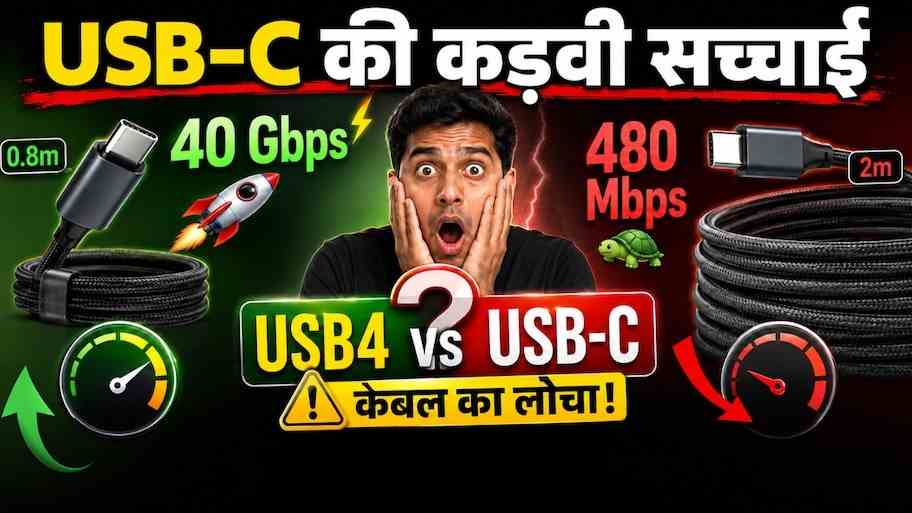
Smartphones, laptops, tablets, cameras, smartwatches, and even gaming consoles—every modern gadget these days features the same oval port, which we all know as a ‘Type-C’ port. Following the European Union’s common charging rules and the Indian government’s one-cable-for-all vision, USB-C is dominating the market. When people go to electronic markets or online shopping sites to buy a new cable or docking station, a lot of confusion arises. One cable is available for ₹150, while another cable that looks exactly the same costs ₹2,500 to ₹3,500. The real secret behind this huge price difference is the difference between USB-C and USB4. Both are similar in appearance, but there is a huge difference in their internal architecture, data transfer speed, video output and charging capacity.
Connector vs protocol: the difference between the road (USB-C) and the bullet train running on it (USB4)
To understand the world of USB, it is first important to understand the basic difference between ‘Connector’ and ‘Protocol’.
USB-C is simply the design (form factor) of a physical connector or port. This is a 24-pin reversible oval plug, which you can plug into the device either upside down or upright. USB-C is just a framework or path.
USB4, on the other hand, is a ‘communication protocol’ or data transmission standard. This determines how fast data will flow through that USB-C cable, how much power will flow, and whether the cable will be able to output display on a 4K/8K monitor. To put it in simple language, USB-C is an 8-lane empty expressway, while USB4 is a supercar running at a speed of 300 km/h on it. All USB4 cables available in the market are of USB-C shape, but not every USB-C cable supports the speed of USB4. Many inexpensive USB-C cables still have a 24-year-old legacy ‘USB 2.0’ system running inside them.
Great battle of data transfer speed: 480 Mbps bullock cart vs 80 Gbps rocket
The real strength of the cable is seen in its data transfer speed. When you transfer 100GB of 4K movies, game files or heavy video footage from one device to another, the difference between the two can make a difference of minutes and hours:
-
Basic USB-C (USB 2.0 standard): Most inexpensive smartphones and the basic charging cables that come in the box have USB 2.0 data architecture. Its maximum transfer speed is only 480 Mbps (about 40-50 MB/s). It takes 35 to 45 minutes to transfer 100 GB data.
-
USB 3.2 Gen 1 and Gen 2 (Type-C): Medium-range cables provide speeds of 5 Gbps to 10 Gbps (approximately 500 MB/s to 1.2 GB/s).
-
USB4 (USB4 Gen 3×2): Modern USB4 cables provide ultra-high speed transfers of a minimum of 20 Gbps and a maximum of 40 Gbps (approximately 4 GB per second). In this, a heavy file of 100 GB is transferred in just 25 to 30 seconds.
-
USB4 Version 2.0 (Next-Gen): The new generation USB4 2.0 standard is capable of achieving unprecedented speeds ranging from 80 Gbps in asymmetric mode to 120 Gbps through ‘PAM-3’ encoding technology.
Dynamic bandwidth and protocol tunneling: the real ‘brains’ of USB4
What makes USB4 different from previous generations is its ‘Protocol Tunneling’ and ‘Dynamic Bandwidth Allocation’ capabilities.
In older USB systems, if you were transferring both display and data through the same cable, the bandwidth was fixed and the transfer would be slow. USB4 intelligently splits its entire 40 Gbps bandwidth in real-time. It can simultaneously pass three different signals through a tunnel i.e. through a single wire without interruption:
-
DisplayPort Tunneling (DisplayPort 2.1): Delivering lag-free smooth display to one 8K monitor (60Hz) or two 4K monitors (120Hz) with a single cable.
-
PCIe Tunneling: Connecting external graphics cards (eGPU) or ultra-fast NVMe SSDs to laptops directly at motherboard speeds.
-
USB data: Smooth flow of data packets to high-speed peripherals.
Power Delivery (USB-PD 3.1): 15W to 240W high-voltage charging
There is a big difference between the two in terms of charging also. A typical local USB-C cable can only support normal charging of 5V/3A i.e. 15W to 18W, which is only good for simple mobile charging.
USB4 cables essentially come with the modern ‘USB Power Delivery 3.1’ (USB-PD) and ‘Extended Power Range’ (EPR) standards. This means that a single USB4 cable can safely transfer a maximum of 240W of heavy-duty power via 48V/5A. With this single cable, you can easily superfast charge everything from small earbuds to flagship smartphones, tablets, powerful 16-inch MacBook Pro and heavy gaming laptops. It has built-in thermal protection, so there is no risk of overheating and short-circuit.
What is USB4 related to Thunderbolt (Thunderbolt 3 and 4)?
Many technology consumers are confused between Thunderbolt and USB4. A few years ago, Intel had handed over the patent and specification of its proprietary ‘Thunderbolt 3’ technology to the USB Promoters Group (USB-IF) royalty-free. USB4 is built on the foundation of the same Thunderbolt protocol.
USB4 is fully backward compatible with Thunderbolt 3 and Thunderbolt 4. If you have Apple’s M-series MacBook, Intel Evo laptop or high-end PC that has a Thunderbolt port, you can easily use USB4 accessories on it without any performance loss.
Before buying a new cable, keep these 4 things in mind: Avoid technical traps
Presence of E-Marker Chip: Every authentic cable with power more than 60W (100W/240W) and speed more than 10 Gbps has a small smart chip inside the connector head called ‘E-Marker’ (Electronic Marker). This chip ensures safe voltage and current communication between the charger and the laptop. Cheap cables without E-markers can burn out the motherboard of your expensive laptop.
Cable length and speed relationship: To achieve 40 Gbps speeds in USB4 cables, signals must travel without loss. The ideal length for passive USB4 cables is 0.8 meters to 1 meter. If you want a 40 Gbps cable 2 meters or longer, make sure it is an ‘Active Cable’ (Active Cable with Re-timer chip).
Identifying the USB-IF Certified Logo: Don’t trust any cable just because it says ‘Fast Charging’ or ‘High Speed’ on the box. Look for the official logos of the USB Implementers Forum (USB-IF), which clearly have the trademark ’40Gbps 240W’ or ’20Gbps 100W’ printed on them.
Understand your device’s actual needs: If you just need to charge a simple smartphone, there’s no need to buy a ₹2,000 USB4 cable; A typical ₹300-₹400 60W USB-C cable is sufficient there. If you’re a content creator, video editor, gamer, or want to connect a MacBook/Windows laptop to a 4K monitor, external SSD, or dock, investing in a USB4 cable is the smartest and future-proof decision.