 look news india

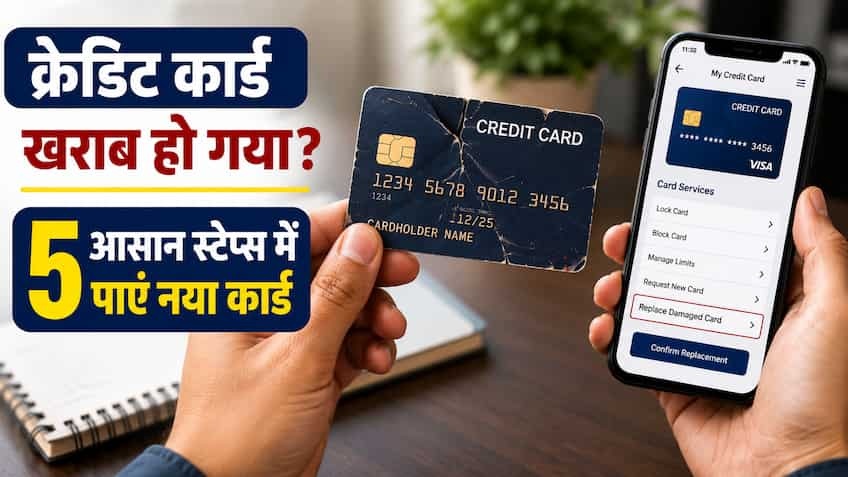
In today’s digital and cashless era, credit cards have become an essential part of everyday shopping, online shopping, flight-hotel booking, dining and medical emergencies. Many times, due to continuous use, bending in the wallet, exposure to water, wear of the magnetic strip or scratches on the microchip, the credit card suddenly stops working on the POS machine or ATM. Consumers get confused when the message ‘Card Read Error’ or ‘Chip Malfunction’ comes while swiping or tapping the card at the billing counter of a shopping mall or petrol pump. If your credit card is also physically damaged or is not working due to technical reasons, then there is no need to panic or visit the bank branch. All major banks and card issuers in the country (like SBI Card, HDFC Bank, ICICI Bank, Axis Bank, Kotak Mahindra Bank) provide the digital facility to apply for a new card from the comfort of your home in just a few minutes.
Why does a credit card suddenly stop working? Understand its technical reasons
There can be several common and technical reasons behind credit card not working:
-
EMV chip wear or dirty: Modern credit cards have a small gold/silver colored metallic chip on the front, called an EMV chip. Continuously inserting the card causes dust, oil or scratches on it, due to which the terminal machine is unable to read the data of the chip.
-
NFC antenna broken: The ‘Tap and Pay’ (Contactless Payment) facility operates through a very thin radio frequency antenna built inside the plastic layer of the card. If the card gets bent while sitting in a pocket or purse, this internal circuit gets broken and the Wi-Fi Tap feature stops working.
-
Demagnetization of magnetic strip: The black stripe on the back of the card loses its magnetic ability when it comes in contact with a magnet, mobile phone speaker or laptop charger for a long time.
-
Card getting cracked or delaminated: Peeling off of plastic layers from the edge of the card or splitting of the card into two pieces.
5 easiest and quickest steps to re-issue a bad or damaged credit card
If your card has been physically damaged, you can request for a new card directly from your smartphone by following the 5 steps given below:
Step 1: Login to the bank’s official mobile app or card portal
First of all, open your respective bank’s mobile banking app or dedicated credit card application (like SBI Card App, HDFC MyCards/PayZapp, ICICI iMobile Pay, Axis Open App) in your smartphone. Secure login using your 4-digit MPIN, fingerprint biometric or user ID and password.
Step 2: Go to ‘Cards / Service Requests’ section
After login, tap on ‘Cards’ or ‘Credit Card’ option given on the home screen. If you have more than one credit card, select the specific card that is damaged. After this, go to the menu and click on the option of ‘Service Requests’, ‘Card Management’ or ‘Card Services’.
Step 3: Select the option ‘Reissue / Replace Damaged Card’
In the service menu, you will see several options—like ‘Block Card’, ‘Upgrade Card’, ‘Change PIN’ and ‘Reissue / Replace Card’. Here you have to click on ‘Reissue / Replace Card’ (Card Replacement).
After this, you will be asked the reason for replacement of the card on the screen. Here select ‘Card Damaged’ or ‘Card Not Working / Mutilated’ from the dropdown menu. Keep in mind that if the card is with you and has only been damaged, then avoid choosing the ‘Lost / Stolen’ option, because in case of loss, the bank immediately hotlists the card and generates a new card number, whereas in case of damage, the process is sometimes faster and simpler.
Step 4: Verify delivery address and submit request
On the next screen the bank will display your registered address (Communication / Permanent Address).
-
If your current address is the same, confirm it.
-
If you have recently shifted to a new address, update your new address before re-issuing the card so that the new card reaches the correct location.
-
After accepting all the Terms & Conditions, tap on ‘Submit’ or ‘Proceed’ button. A 6-digit OTP (One Time Password) will be sent to your registered mobile number. Once you enter the OTP, your card replacement request will be successfully submitted.
Step 5: Note the service request number and track the delivery of the card
Once the request is submitted, a ‘Service Request Number’ (SRN) or Tracking ID will appear on your screen, and its SMS and email will also be sent to your registered contacts. The bank usually prepares the new card and dispatches it through a reputed courier service like Blue Dart, DTDC or Speed Post within 24 to 48 hours. You can track the live delivery status of your card through the bank’s tracking link or courier AWB Number.
Alternative way to replace card through net banking and customer care
If you don’t use the mobile app, you can also get a new card through two other simple means:
-
Through Internet Banking: Login to the net banking portal of the bank on your laptop or computer. Go to the ‘Cards’ tab, click on the ‘Request’ section and select ‘Credit Card Replacement’ and complete the above steps.
-
24×7 Customer Care Helpline: Call the authorized toll-free customer care number written on the back of your card or from the bank’s website. Select Credit Card Services in the IVR menu and speak to the customer care executive of the bank. Tell them your card is damaged. After identity verification (like date of birth, registered mobile number and security questions) the executive will register the request for your new card.
How long does card replacement charges and delivery take?
The credit card reissue process involves some nominal charges and time limits depending on the bank and card variant:
-
Replacement Fee: Most government and private banks charge a nominal fee of ₹100 to ₹250 (+18% GST) for replacing a damaged card, which gets added to your next credit card billing statement. However, on many premium and super-premium cards (like HDFC Infinia, Regalia Gold, SBI Aurum, ICICI Emeralde) this facility is completely free (Zero Fee).
-
Delivery Timeline: In metros and large tier-1 cities, the new card is delivered to your address within 3 to 5 working days of request, while in non-metro or rural areas it may take 5 to 7 days.
Will your transactions be put on hold until a new card arrives? Smart use of virtual card
Your everyday online shopping won’t have to stop until the new physical card reaches your home. Nowadays, most banks activate a ‘Virtual Credit Card’ in the mobile app immediately as soon as the request is submitted. You can easily do online bill payment, food delivery, shopping on Swiggy, Zomato, Amazon or Flipkart by viewing the card number, expiry date and CVV through the app. Additionally, if your card is based on RuPay Credit Card, you can link it to Google Pay, PhonePe or Paytm on UPI and continue payments directly by scanning the QR code at any merchant.
What to do after getting a new card and what to do with the old bad card?
Once you receive your new card in a secure envelope, follow these important steps:
-
Activate the card and create a new PIN: The 16-digit number of the new card usually remains the same, but its ‘expiry date’ and 3-digit ‘CVV code’ changes. Instantly set a new 4-digit Green PIN through the mobile app or ATM and activate online/contactless transaction limits.
-
Update auto-debit and subscription: On OTT platforms (Netflix, Prime), utility bills or e-commerce sites where you had auto-debit/standing instructions of the old card, update the expiry date and CVV of the new card so that your monthly bills do not bounce.
-
Safely destroy old damaged cards: Never throw old cards whole in the dustbin. Using sharp scissors, cut the old card into several pieces in such a way that its EMV chip, magnetic strip, card number and your name are completely destroyed. This eliminates the risk of any kind of identity theft or fraud forever.