 look news india

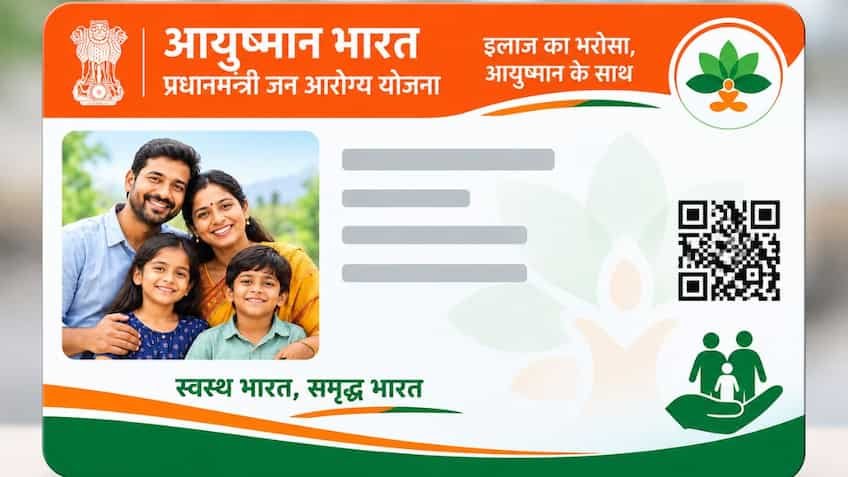
The Central Government’s ambitious Ayushman Bharat Pradhan Mantri Jan Arogya Yojana (AB-PMJAY) is proving to be a lifeline for crores of economically weak and middle class families of the country. Under this scheme, every eligible family gets the facility of cashless and free treatment up to Rs 5 lakh per year in empaneled government and private hospitals. However, at present the biggest hurdle faced by lakhs of beneficiaries is ‘Data Mismatch’. When a beneficiary’s name, date of birth, gender or family relationship does not match in the Aadhaar card and ration card (or in the SECC-2011 database), the digital system of the National Health Authority (NHA) automatically rejects or puts the application on hold. The number of such cases is continuously increasing in rural and urban areas across the country including Uttar Pradesh, Bihar, Madhya Pradesh, Rajasthan, Haryana and Delhi-NCR. If your or any member of your family’s Ayushman card is not being made due to this technical flaw, then there is no need to worry. To solve this, the Health Authority has now started a very easy system of online Re-eKYC and data correction.
The entire verification system of Ayushman Card is based on biometric and demographic data. When a citizen applies for a card, the software matches the National Food Security Act (NFSA) ration card portal and UIDAI’s Aadhaar database. In this matching process the software decides the ‘matching score’. If the matching of information between the two documents is less than 80 percent, the system does not proceed with the application. Usually this discrepancy arises when the spelling of the name in the Aadhaar card is different in English and is recorded differently in the ration card due to Hindi translation. Moreover, many old ration cards contain only the year of birth, whereas the complete date of birth (day, month, year) is recorded in the Aadhaar card. In case of women, there is discrepancy in the database due to change of surname after marriage or update of husband’s name in place of father’s name.
National Health Authority has launched an official portal for the convenience of citizens. beneficiary.nha.gov.in Has been completely updated. Now any person can make improvements sitting at home using his smartphone or computer without visiting any government office. First of all go to the portal and select ‘Beneficiary’ option. Enter your 10 digit active mobile number and login through the OTP received on it. After this, select your state, scheme (PMJAY), your home district and search option (Aadhaar Number or Family ID/Ration Card) from the dropdown menu on the screen. As soon as the search is done, the list of all the family members will open. Click on the icon of ‘e-KYC’ or ‘Re-do e-KYC’ given in front of the name of the member whose card status is ‘Not Generated’ or yellow mark is appearing. Here select the option of Aadhaar OTP for authentication. As soon as you enter the 6 digit OTP received on the mobile number linked to Aadhaar, your correct photo, full name, gender and date of birth taken from the Aadhaar card will automatically be displayed on the screen. After this the system will ask to take a live photo of your face through webcam or phone camera. After capturing the photo, enter your mobile number, pin code, year of birth and correct relationship to the head of the family and click on ‘Submit’ button.
‘Ayushman App’ is proving to be a boon for those beneficiaries whose mobile number is not linked to their Aadhar card or whose fingerprint does not work on the biometric machine due to wear. Download Ayushman App from Google Play Store and select the option of ‘Login as Beneficiary’. After login to the app, find the family details and go to ‘Re-eKYC’. Select ‘Face Auth’ in the authentication options. For this, it is mandatory to install ‘AadhaarFaceRd’ app in the phone. As soon as you click on face scan, the front camera of the phone will start. As soon as you blink in front of the camera, your face will be verified with the UIDAI servers. As soon as the face is authenticated, the system will sync the original data of your Aadhar card with the Ayushman record and the problem of data mismatch will be completely eliminated.
In many cases, the problem is not with the common spelling but with the name being completely different. For example, the name recorded in the ration card is ‘Gudiya’ and the name recorded in the Aadhaar card is ‘Sunita’. In such cases, online auto-approval does not work as the system considers it to be two different persons. If you also have such a serious discrepancy, then you will have to adopt the offline process. For this, you will have to contact the ‘Ayushman Mitra’ counter established in your nearest Common Service Center (CSC), Government District Hospital, Community Health Center (CHC) or the Chief Medical Officer (CMO) office. There you have to present original Aadhar Card, original Ration Card, Voter ID or identity card certified by Village Head/Councillor. Ayushman Mitra scans these documents and sends them to the District Approving Authority (DAA) for special approval, where the concerned nodal officer grants permission to issue the card after manual verification.
While correcting data mismatch, people often get confused as to which document they should correct first. According to experts, the Ayushman Bharat portal is completely Aadhaar-centric. This means that only the information recorded on your Aadhaar card is considered final on the portal. If the name or date of birth in your Aadhaar card is wrong, then first get the Aadhaar corrected by visiting the nearest Aadhaar Seva Center of UIDAI. If all the details in the Aadhaar card are correct and the mistake is only in the ration card, then get the ration card amended by visiting the state portal of the Food and Logistics Department (FCS) or by applying at the nearest Food Supply Inspector office. When the spelling and date of birth are the same in both the original documents, the Re-eKYC done on the Ayushman portal will be approved within just 24 hours without any human intervention.
After successfully completing the Re-eKYC process, you receive a reference number. Generally, in cases with minor improvements, approval is received immediately or within a maximum of 48 to 72 hours. To check the status of your application, visit the beneficiary.nha.gov.in portal again and login with your Aadhaar number to view the family list. When ‘Approved’ is written in green next to the member’s name, understand that the amendment has been accepted. After this, click on the ‘Download Card’ option given there. Your new, digital Ayushman PVC card equipped with barcode and QR code will be downloaded in PDF format. By taking a printout of this card, you can immediately get cashless treatment up to Rs 5 lakh in any empaneled hospital in the country. National toll-free helpline number in case of any technical interruption or complaint 14555 Or 1800-111-565 But help can be taken by contacting directly.