 look news india

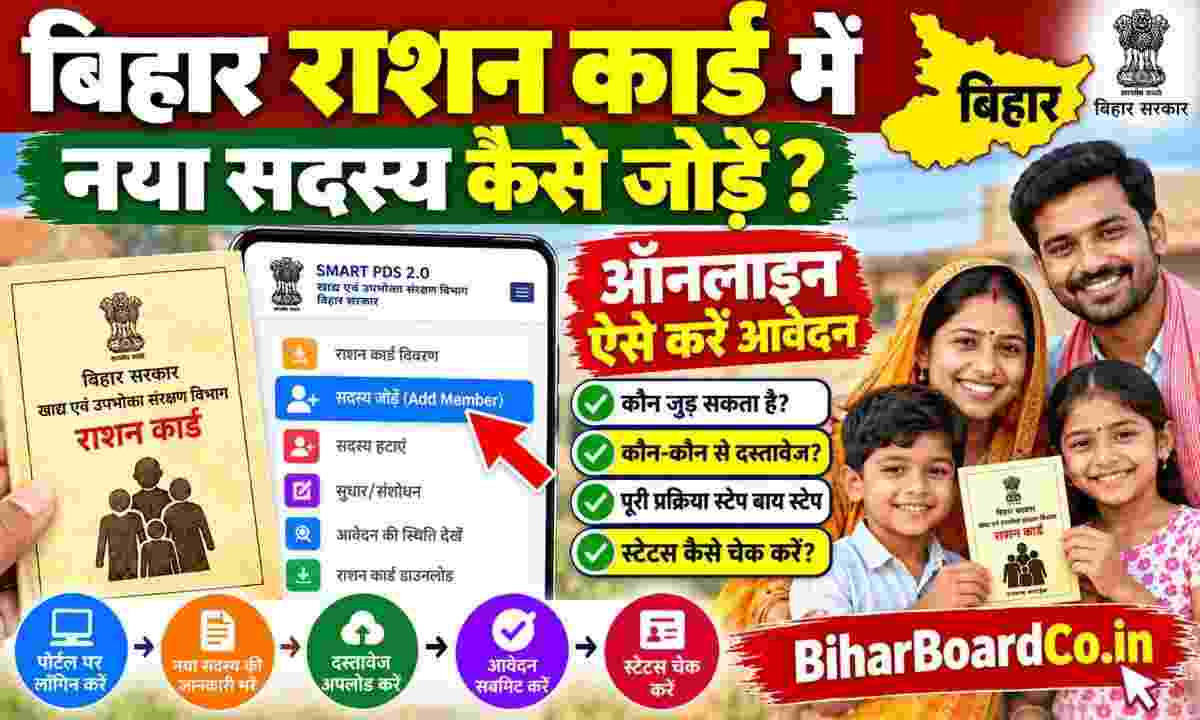
Patna/Lucknow: There is big relief news from the Food and Consumer Protection Department of the state (Food and Consumer Protection Department, Bihar) for crores of ration card holders of Bihar. If a new member has recently arrived in your family – like a new born baby has been born in the house, a new daughter-in-law has come home after the marriage of the son, or due to some technical reason in the past, the name of any member of the family has been left out of being added to the ration card – then now there is no need for you to visit the sub-divisional office (SDO Office) or block offices for this. Bihar government has completely digitalized the ration card management system i.e. RCMS and Smart PDS service. Under this, now any eligible citizen can add the name of a new member to his existing ration card by applying online from home through his smartphone or computer. Since the allocation of free ration under the National Food Security Act (NFSA) is on a per capita basis, it is very important for the name of every member of the family to be registered in the card so that the family can get the entire quota.
Before starting the online application process, the applicant must have clear scanned copies of all the required documents ready, as the application may be rejected in the absence of documents. First of all, you should have a self-attested photocopy of the existing ration card of the family. Along with this, it is mandatory for the new member whose name is being added to have Aadhaar card. Aadhaar card of the head of the family i.e. applicant, residence certificate, income certificate and if coming from reserved category then caste certificate will also have to be attached. Apart from this, a photocopy of the first page of the head’s bank passbook is also necessary. The Department has prescribed some additional documents for special circumstances; For example, if you are adding the name of a newborn baby, then it is mandatory to include its birth certificate. At the same time, if the name of the new daughter-in-law is being added after marriage, then along with the marriage certificate, a deletion certificate will have to be given from her maternal home’s ration card, so that the name of the same person is not recorded in two different ration cards. Apart from all these documents, it is necessary to have a collective passport size photograph of the entire family (which includes the new member) and a scanned copy of the applicant’s signature and an active mobile number.
Official portal of state government for amendment in ration card or adding new member in Bihar. rconline.bihar.gov.in But online facility has been made available. To apply, first open this official website in the browser of your mobile or laptop. On the homepage of the website, you will see the option of ‘Apply for Online RC’ or ‘Citizen Login’, on clicking which the integrated login portal of the Government of India will appear on the screen. JanParichay (MeriPehchaan) Will open. If you have already created your account on this portal, then login directly through your registered mobile number and password or OTP. But if you are using this service for the first time, then click on ‘New User?’ given below. Click on the link ‘Sign up for MeriPehchaan’ and create a new account by filling your mobile number, name, date of birth and other basic information. After completion of the login process, the main dashboard of RCMS will open in front of you. Here click on the ‘Apply’ menu given on the left or top side and select the option of ‘Apply for Correction’ from the drop-down list.
After clicking on ‘Apply for Correction’ the portal will ask you for your existing ration card number. As soon as you enter your correct ration card number and press the search button, the details of your entire family and existing ration card will appear on your screen. On scrolling down a bit on this page, you will see the ‘Add Member’ button. On clicking this button, a detailed online form will open to fill the details of the new member. In this form, you have to write the name of the new member in both English and Hindi languages exactly as it is mentioned on his Aadhar card. Even a slight error in the spelling of the name can lead to problems in e-KYC in future. After this, carefully fill the information like name of the member’s father or husband, gender, date of birth, current age, marital status and their relationship with the main holder (Mukhiya) of the ration card. Finally, enter the 12 digit Aadhaar number and mobile number of the new member and click on the ‘Save’ button.
After saving the personal information of the new member, the next step is to upload the documents. Go to the ‘Upload Documents’ section present on the portal. Here you have to scan all your key documents—like Aadhar card, residence certificate, income certificate, bank passbook and birth or marriage certificate—merge them into a single PDF file and upload them. Keep in mind that the size of the PDF file should be within the limit prescribed by the portal (usually less than 1 MB) and all characters should be clearly read. After uploading the PDF, upload the collective color photograph of the entire family and the signature of the applicant separately in the prescribed columns. After all the files are uploaded, check the entire form carefully once again by clicking on the ‘Preview’ option. If all the information is correct, then tick the declaration form and click on the ‘Final Submit’ button. As soon as the form is submitted, an Acknowledgment Receipt will be generated on the screen, on which your Application Reference Number Must have written. Keep this number safe by noting it down or taking a printout.
After submitting the online application, verification of your documents is done by the Supply Inspector and Sub-Divisional Officer (SDO) offices at the block level. To know the current status of your application sitting at home, login to the portal again and go to the option of ‘Track Application Status’ and enter your reference number. Generally it takes 15 to 30 working days to complete the field verification process. As soon as your application is approved by the department, the name of the new member is updated in the digital ration card database. However, after adding the name, do not forget to do one very important thing. Take the new member to your nearest Public Distribution System (PDS) i.e. ration dealer’s shop and get his/her thumb impression on the e-PoS machine. e-KYC Definitely get it completed. Only after e-KYC is done, the new member will start getting his share of grains from next month. Toll-free helpline number of Citizen Food Department of Bihar for any kind of technical assistance or to register complaint 1800-3456-194 Or 1967 You can also contact at