 look news india

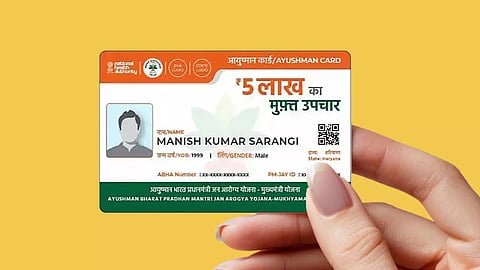
To get free treatment up to Rs 5 lakh under Pradhan Mantri Jan Arogya Yojana (AB-PMJAY), it is necessary to have Ayushman card activated. The National Health Authority (NHA) has made the e-KYC process completely digital and very easy for the convenience of the beneficiaries. Now Aadhaar based e-KYC can be completed in a few minutes from a smartphone sitting at home without visiting any cyber café or public service center (CSC). If your family member’s card is showing as pending or unverified, you can update it immediately.
Important things before starting e-KYC
Before starting the process from mobile, make sure to:
-
applicant’s aadhaar card number Must pass.
-
Link to Aadhaar mobile number active So that the 6 digit OTP received on it can be entered.
-
If the mobile number is not linked to Aadhaar, the front camera of the phone must be turned on for ‘Face Authentication’.
-
Family Identity Card (Ration Card or Family ID).
Step-by-step process to do e-KYC through Ayushman App
-
App Download and Login: Official from Google Play Store ‘Ayushman App’ Download. by opening the app Beneficiary Select the option, enter your mobile number and login by entering OTP.
-
Find Eligibility and Details: After login, enter your state, scheme name (PMJAY), district and search by selecting ‘Aadhaar Number’ or ‘Family ID’ in the search by.
-
Selection of Beneficiary: The list of your family members will appear on the screen. The member whose name is preceded by yellow or orange ‘e-KYC’ Or where ‘Identified/Unverified’ is written, click on it.
-
Select authentication mode: for authentication Aadhaar OTP Or Face Auth Select the option.
-
Complete Verification: Enter the OTP received on the registered number linked to Aadhaar. If face authentication is chosen, capture live photo with the help of ‘AadhaarFaceRd’ app.
-
Additional Information and Submission: Enter your mobile number, pin code and relationship to the head of the household. After this press the ‘Submit’ button.
Download the card immediately after verification
After successful e-KYC submission the system will match the details with your Aadhaar data. As soon as the match is completed, the status of ‘Approved’ will appear on the screen and the color of the card will turn green. After this, you can directly save the digital PDF copy of your Ayushman Card by clicking on the ‘Download Card’ option and take a print out if needed.