 look news india

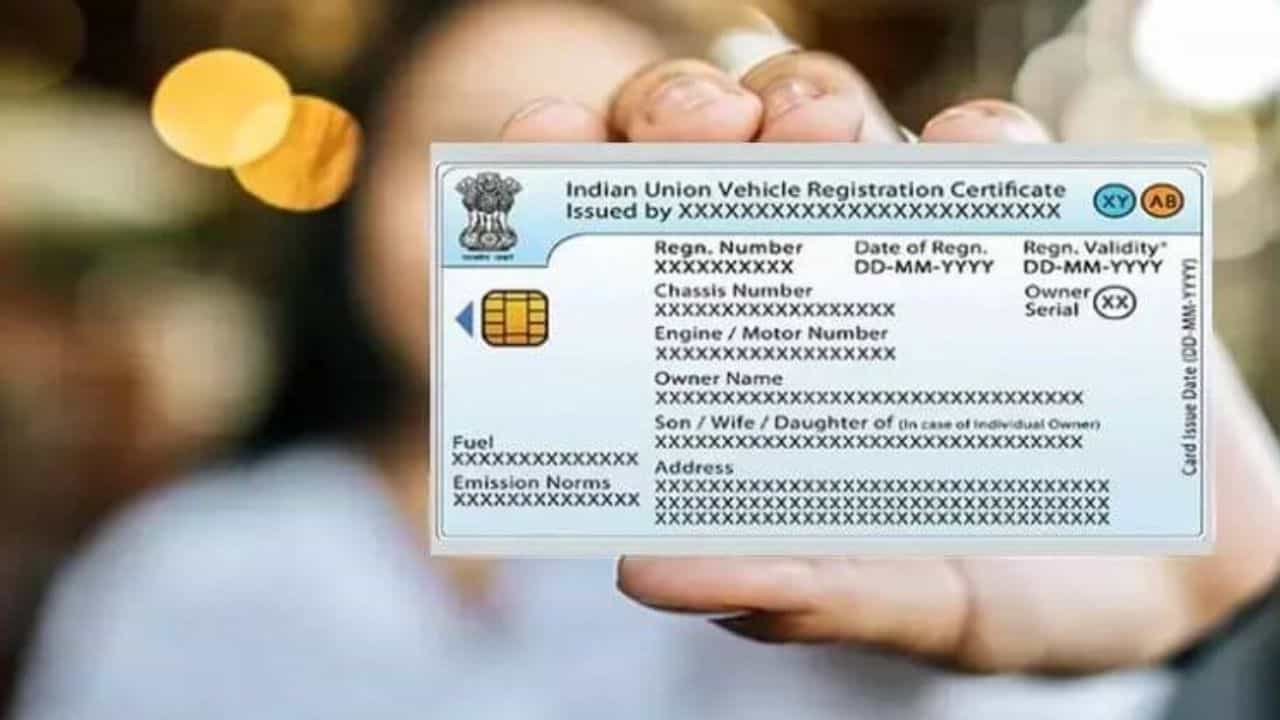
In today’s times, it has become very important to have your current mobile number recorded in the Registration Certificate (RC) of a car, bike or any commercial vehicle. SMS of e-challan for violation of traffic rules, vehicle fitness, insurance renewal, expiry date of Pollution Under Control (PUC) certificate and all alerts related to national permit are sent directly to the registered mobile number. If your old number has been switched off or you have taken a new number and it is not linked in the RC, then due to not receiving the challan information on time, the matter may directly reach the Virtual Court or Lok Adalat. Many people believe that to change mobile number in RC, one will have to stand in long queues at the Regional Transport Office (RTO) or pay money to brokers, but the Ministry of Road Transport and Highways (MoRTH) has made this entire process completely online and faceless.
Under the digital transport system, the entire system of the transport department is now linked to the registered phone number of the vehicle owner. If your current mobile number is not registered in RC, you may face the following serious problems:
-
Heavy invoice without information: The message of challans issued by Automatic Number Plate Recognition (ANPR) cameras installed at intersections will not be received immediately, due to which the challan may get transferred to the court after the deadline.
-
Obstacles in selling or transferring a vehicle: While selling the vehicle, for taking NOC or for transfer of ownership, Aadhaar based OTP goes to the same number which is registered in the RC.
-
Renewal of Documents: There will be no advance warning about expiry of validity of insurance and PUC, which may lead to heavy fine during vehicle checking.
-
Alerts on theft or unauthorized activity: In case of any duplicate RC application or data change, the owner will not be able to receive security alerts.
Before starting the online process, you do not need to scan and upload any paper documents, just keep the original copy of your vehicle’s RC with the following details:
-
Vehicle Registration Number
-
Last 5 digits or complete number of the chassis number
-
Last 5 digits of engine number
-
Registration date and fitness validity of RC (required for some states)
-
New active mobile number (on which OTP can be received)
-
Vehicle owner’s identity certificate
Official Portal of Ministry of Road Transport and Highways parivahan.gov.in You can update your number in just 5 minutes through:
-
Visit the official portal: First of all, open the official website of Transport Department, parivahan.gov.in in your phone or computer browser.
-
Select Online Services: On the main page, click on the ‘Online Services’ tab in the navigation menu and from the drop-down list ‘Vehicle Related Services’ Select the option.
-
Select State: On the next page select the name of your state (like Uttar Pradesh, Delhi, Maharashtra etc.).
-
Enter vehicle number: Now enter your vehicle registration number and select the concerned RTO and click on ‘Proceed’ button.
-
Click on Mobile Number Update Service: A list of available services will appear on the screen. Here ‘Additional Services’ under the ‘Services’ menu or directly visible on the dashboard ‘Update Mobile Number’ Click on the option.
-
Verification of Vehicle Details: Now a form will open on the screen in which you will have to enter your vehicle registration number, full chassis number, engine number and date of registration and fitness. After this click on ‘Show Details’.
-
Matching owner information: The name of the vehicle owner, father’s name and the currently entered old mobile number will be displayed on the screen.
-
Enter new mobile number: Type your new 10 digit phone number in the ‘Mobile Number’ box and click on ‘Generate OTP’.
-
Confirm with OTP: Enter the 6 digit OTP received on your new mobile number and click on ‘Save Details’ or ‘Update’.
As soon as you submit, the message ‘Mobile Number has been updated successfully’ will appear on the screen and your new number will become effective immediately in the database of the Transport Department.
If you prefer to use a smartphone instead of a computer, then the official website of the Central Government mParivahan This work can also be done easily through (NextGen mParivahan) app. After logging into the app, go to the ‘Vehicle Services’ section, add your vehicle as ‘Virtual RC’ and select the option to update the registered mobile number by going to Profile Settings or Vehicle Details. There also, after verification of the chassis and engine number, the new number can be linked by entering the OTP.
-
Facility of Aadhaar Linking: In many states (like Delhi, Uttar Pradesh etc.) this service is completely linked to Aadhaar based e-KYC. In such a situation, make sure that your new mobile number is also correctly linked to your identity certificate so that there is no interruption in online services in future.
-
Beware of fake websites: Many private portals and brokers on the internet try to extort money by creating fake websites that look like transportation services. Keep in mind that this service is completely free on the government portal and for this always use only the official site with .gov.in domain.